
How To Do a CRM Audit in 4 Simple Steps
Is your CRM platform feeling a little… tired? Maybe it’s not moving as quickly as it used to, your team is avoiding it or you’re wondering whether you’re actually using everything you’re paying for. When was the last time you looked at your CRM system performance? And I mean really looked… Whether you set yours up six months ago or it’s been running the show for years even the best CRM platforms can start to collect digital dust over time.
With HubSpot rolling out new AI-powered tools like Breeze, and Salesforce continuing to expand Agentforce and Einstein AI throughout 2025 and 2026. A CRM that isn’t reviewed regularly can quickly fall behind, meaning you could be missing out on features, efficiencies, and opportunities that you’re already paying for.
What is a CRM Audit and Why it’s Important
A CRM audit is a structured review of your system’s setup, data quality, automations, and strategic direction, used to identify what’s holding your CRM back and turn it into a clear action plan. It matters because CRM platforms don’t stay aligned with your business on their own – they quietly drift out of sync as your team, processes, and goals evolve.
You are basically doing a proper clear out. It helps you stop fighting your CRM and start making it work for you. Your system will never announce that it needs looking at, it will just keep running until you start to realise it’s aged like milk rather than wine.
The stakes are higher than most businesses assume. According to Salesforce’s 2026 State of Sales report, sales reps spend 60% of their time on non-selling tasks, meaning the average seller only spends 40% of their week actually selling. The rest disappears into admin, data entry, and workarounds that a properly configured CRM should be handling automatically.
It’s also worth noting Gartner forecasts that 89% of large enterprises in North America will have adopted some form of CRM software by 2027, up from 80% in 2023 – adoption is accelerating fast, which makes it even more important that each new rollout is configured properly the first time, rather than adding to the pile of underused systems.
CRM Audit Checklist
Here is how you can do a CRM audit – we’ve broken it down how to do a CRM audit in 4 simple steps.
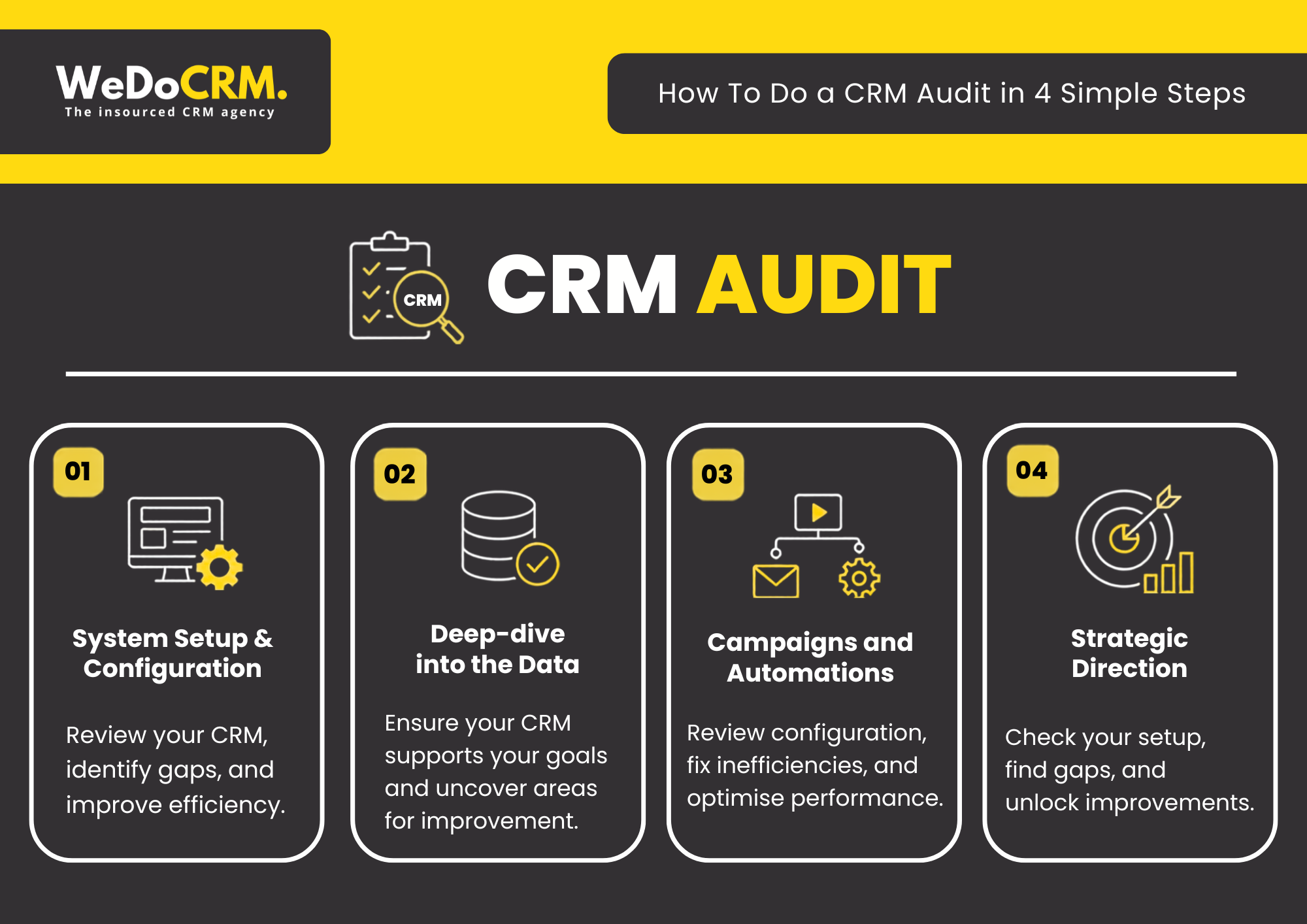
Step 1: Check your CRM Setup
The first step of a CRM audit reviews whether your CRM’s configuration – pipelines, deal stages, and properties – matches how your business actually operates today, rather than the default settings it launched with.
Your business has probably changed since your CRM was first implemented and introduced. Your team has probably grown, sales processes have evolved and priorities have changed, but has your CRM platform kept up with these changes is the main question. There might be that you have lots of features switched on that aren’t needed too. The goal here is to find what’s working well and what could work better.
What to check:
- Deal stages match your actual sales process, not a generic template
- Custom properties are genuinely in use, not cluttering the system
- User permissions are set correctly across the team
- No duplicate pipelines or redundant views causing confusion
This gap between capability and actual use is more common than most teams realise. Sellers use an average of 8 different tools just to close a single deal, and 42% of sales reps say they feel overwhelmed by the sheer number of tools they’re expected to use, a clear sign that CRMs are often carrying features and integrations nobody has properly configured or consolidated.
Step 2: Check Your Data Quality
The second step of a CRM audit assesses the accuracy, consistency, and completeness of your CRM data – because even a perfectly configured system produces unreliable results if the data feeding it is wrong.
Messy data has a habit of finding its way straight to your customers: the wrong name in an email, a renewal that slips through the cracks, a key account nobody follows up with because the record went stale months ago.
What to check:
- Duplicate contact or company records
- Missing information (email, phone, key fields)
- Inconsistent formatting or naming conventions
- Gaps that are limiting your reporting and insights
Your CRM is only as good as the data sitting inside it and the platform’s own growth trajectory depends on getting this right at scale. Gartner forecasts that by 2027, spending on AI-influenced CRM software will make up 8.5% of total CRM spend, with 60% of that being generative AI – and none of that AI works reliably without clean, well-structured data underneath it.
Want to go deeper on this? Our guide on data cleansing and CRM security covers exactly how to get your data back in shape.
Step 3: Review Your Campaigns & Automations
The third step of a CRM audit reviews whether your existing workflows, automations, and campaigns are still doing what they were built to do – since automations run silently in the background and rarely announce when they’ve broken.
Take a look at your existing campaigns, automations, and workflows to identify ways to save time and improve performance. Sometimes it’s a small tweak, and sometimes it’s discovering features you’ve been paying for but never using.
What to check:
- Every active workflow still serves a clear, current purpose
- Enrolment triggers (the conditions that determine when a contact enters or exits a workflow) are still accurate and firing at the right points
- Email campaigns remain relevant, well-segmented, and performing
- Manual, repetitive work that automation should be handling isn’t slipping through
The scale of this problem is well documented. Forrester’s Activity Study, which tracked over 3,000 sales reps, found that the average rep loses nearly two full days a week to administrative work – much of which well-configured automation should be handled instead.
The aim is simple: less manual work and more value from your CRM. If you can’t remember the last time someone reviewed a workflow, it’s probably due for one.
Step 4: Create Your CRM Roadmap
The fourth step of a CRM audit pulls the findings from Steps 1–3 together into a single, prioritised plan – assessing whether your CRM is built for where the business is going, not just where it’s been.
As your business grows and changes, your CRM should grow with it.
What a good roadmap includes:
- A ranked list of issues, from highest to lowest commercial impact
- Clear ownership – who’s responsible for each fix
- Realistic timelines that separate quick wins from longer-term projects
- A defined “next review” date, so the CRM doesn’t drift out of date again
What worked when it was first set up may not work as well now. Gartner projects that 75% of the highest-growth companies will operate a formal revenue operations function by 2028, with a well-structured CRM roadmap as one of its foundations.
How Often Should You Audit Your CRM?
Most businesses should audit their CRM at least once a year, or immediately after any major change to the business – team growth, a new sales process, a funding round, or entry into a new market.
CRM issues don’t happen overnight, they build up over time. A quick fix here, a new process there, or a team that’s never been properly trained can all slowly impact how well your system performs.
Because these changes happen gradually, they’re easy to overlook. Regular CRM audits help identify small issues before they become bigger, more expensive problems, keeping your system aligned with the needs of your business.
Doing a CRM Audit Yourself vs. Bringing in a CRM Agency
You can absolutely run through these four steps on your own – and doing so will already put you ahead of most businesses that never revisit their CRM at all. But a DIY audit has natural limits: it’s hard to be objective about a system you use every day, and it’s easy to miss issues that only become obvious once you’ve seen them across dozens of other accounts.
That’s exactly the gap our CRM Audit service is built to close. We run this same four-step process for clients, but with the added benefit of specialist HubSpot experience – spotting what a DIY review often misses, and delivering a clear, prioritised plan at the end, not just a list of problems.
CRM Audit for Small Business: What to Prioritise
If you’re a smaller business, you probably don’t have a dedicated CRM manager. That means problems compound quietly over time – nobody owns the system, so nobody fixes it. A focused audit doesn’t need to take weeks.
For small businesses, the highest-priority areas are almost always data quality and pipeline configuration. Get those right, and your reporting becomes trustworthy. Your forecasts become useful. And your team starts to trust the system again.
It’s also worth knowing that Harvard Business Review research indicates that between 50% and 70% of CRM implementations fail. An audit is often the difference between a CRM that delivers ROI and one that quietly drains resources.
Why a CRM Audit Should Come Before Any Migration or Rebuild
One of the most common mistakes businesses make is assuming that a messy CRM means they need a new one. Sometimes that’s true. But often, the platform is fine – the setup just needs work.
Migrating bad data and broken processes to a new system doesn’t fix anything. It just makes the problem more expensive.
A CRM audit tells you the truth before you commit to a major change. It’s the diagnostic step that should always come first.
For more on what that process looks like across different CRM platforms, our detailed walkthrough on how to perform a CRM audit covers the methodology in full.
How WeDoCRM Can Help with a CRM Audit
Curious what your CRM is really capable of? Chat to us and we will give you an honest look at what’s working and what isn’t.
| Step | We Check | Why It Matters |
| 1. CRM Setup | Is your CRM set up correctly? | Better adoption, reporting and performance |
| 2. Your Data | Is your data accurate and organised? | Better insights and smarter decisions |
| 3. Automations | Are you making the most of your CRM? | Less manual work and more efficiency |
| 4. Your Roadmap | What should you improve first? | A clear plan for future CRM success |
See Our CRM Audit Case Studies
- Unlocking Old Gold Racing’s Potential Through a CRM Audit
- Enhancing Our SME Client’s HubSpot with a Detailed Audit
Frequently Asked Questions – CRM Audits
How often should you conduct a CRM audit?
As a general rule, once a year or any time your business changes significantly, such as team growth, a new sales process, a funding round, or entering a new market.
Why is a CRM audit important?
Over time, businesses change, but their CRM systems don’t always keep up. A CRM audit helps ensure your platform is still aligned with your business processes and goals, helping you uncover inefficiencies, improve user adoption, and make better use of your investment.
What can a CRM audit uncover?
A CRM audit can identify issues such as:
- Poor data quality and duplicate records
- Inefficient workflows and automations
- Low user adoption
- Inaccurate reporting and forecasting
- Unused or unnecessary CRM features
- Opportunities to improve sales and marketing performance
Can I run a CRM audit myself?
Yes, the four steps above can be done internally, and doing so puts you ahead of most businesses that never look at all.
How long does a CRM audit take?
It depends on the size and complexity of your CRM, but a thorough audit covering setup, data, automations, and strategy typically takes one to a few weeks.
Will a CRM audit disrupt my business?
No. A CRM audit is designed to be minimally disruptive. We review your existing setup and processes without affecting your day-to-day operations. Most of the work happens in the background through system reviews and stakeholder discussions.
What’s the difference between a CRM audit and a CRM migration?
An audit diagnoses what’s wrong with your current setup. A migration is the work of moving to, or rebuilding, a new system. Audits often reveal that a migration isn’t necessary at all.
Can you audit any CRM platform?
Yes. The principles of a CRM audit are the same regardless of platform. Whether you’re using HubSpot, Salesforce, Microsoft Dynamics, Zoho, or another CRM, we’ll review how effectively it’s supporting your business objectives.
How much does a CRM audit cost?
The cost of a CRM audit depends on the size of your business, the complexity of your CRM setup, and the scope of the review. We’ll work with you to understand your requirements and provide a tailored proposal based on your needs.