
A long time ago, in a sales pipeline far, far away… A business owner opened up their CRM platform to find their database full of contacts, and yet somehow, not a single lead was converting, automations were not firing correctly, and the reporting dashboard was nonexistent.
May the 4th… for those not deep in the fandom, it’s known as Star Wars Day, named after the franchise’s most famous line. It’s traditionally a day for film marathons, questionable puns, and people posting lightsaber memes on LinkedIn (yes, we have before you ask). We are also doing something slightly different.
Because the more we thought about it, the more we realised that Star Wars is a story about what happens when organisations get their systems, their data, and their strategy catastrophically wrong. And then, eventually, fix it.
Which is, honestly, a lot of what we do.
So here are the CRM lessons hiding inside one of the world’s most beloved film franchises. You don’t need to have seen a single frame to find them useful. Though if you haven’t, we recommend adding them to the list!
Why Most CRM Strategies Are Failing
Before we get into the Star Wars parallels, let’s be honest about why CRM programmes underperform. It’s rarely the platform. Here’s what is going on:
| The Cause | The Effect |
| Dirty, duplicated data | Automations misfire, AI makes bad recommendations, sales chases ghosts |
| No clear data entry standards | Every team adds contacts differently, and consistency collapses over time |
| Automation built on bad foundations | The wrong message goes to the wrong person at the wrong moment |
| No single source of truth | Sales, marketing, and service are all working from different information |
| Strategy is treated as a setup task, not an ongoing process | The CRM reflects how the business worked 18 months ago, not how it works today |
The common thread across all of these? None of them are platform problems; they’re all strategy problems, and that matters because buying a better CRM won’t fix any of them.
The Dark Side of CRM Data
Let’s start with an easy one. If you haven’t seen the films, I can almost put money on the fact that you would know who Darth Vader is.
Well, Vader didn’t start as the bad guy. He was talented, well-intentioned, and had enormous potential. Then, gradually, he made a series of small compromises. Each one seemed reasonable at the time, and each one moved him further from where he needed to be!
Your CRM data works the same way. Your data doesn’t arrive dirty, and you don’t get a brand new CRM platform with loads of inaccuracies and duplicates. It gets that way gradually. Whether that be contacts manually imported without a lead source, lifecycle stages left blank or data collected without a clear opt-in because someone was in a hurry
Each one seems totally harmless at first, but over time, the dark side forms… and three years later, you’ve got a database that’s inaccurate, full of duplicates (in Star Wars terms, we would call them stormtrooper clones, more on them in a moment).
The lesson: Bad data doesn’t announce itself. It creeps in quietly, one small compromise at a time and by the time you notice, it’s already running the Empire.
The Clone Army: Your Duplicate Contact Problem
So, for the non-fans, all you need to know here is that at one point, someone decided the best military strategy was to create an enormous army of identical soldiers, all copied from the same source. Sounds powerful, but in reality, it’s absolute chaos.
When it comes to CRM data, your duplicate contacts work the same way.
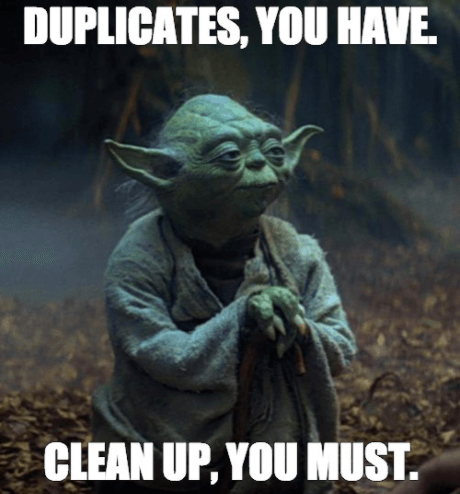
It looks like data, it takes up space like data, but it isn’t adding value when your sales team are contacting the same person twice, or your automations enrol the same lead in the same sequence three times. Deliverability and personalisation fail, and AI tools are making recommendations based on contacts that don’t exist.
Duplicate data is one of the most common issues we see in CRM databases. Here are some examples of how you can fix yours based on the CRM platform:
- HubSpot has built-in duplicate management under Contacts
- Salesforce has Duplicate Rules and Data Quality dashboards
- Zoho CRM has a dedicated Deduplicate Contacts tool
- Pipedrive lets you merge duplicates directly in the contacts view
- SugarCRM flags duplicates during the import workflow
The Clone Wars, as it turns out, is not just a Disney+ series. It’s what happens when you import a spreadsheet without checking for duplicates first.
Run an audit, eliminate the clones, and your reporting will thank you. May the accuracy be with you… (We can’t stop with the puns, we are sorry!)
If your CRM platform is not listed here, feel free to contact us at sales@wedocrm.co, and we can show you how you can fix yours.
Droids in the System: When Automation Goes Wrong
Automation is incredibly powerful… until it isn’t. Star Wars features some of the most beloved robots in cinema history. Characters, when everything is working correctly, solve complex problems. Put them in the wrong environment or give them wrong instructions, though, and things can go wrong. Fast,
When automations are set up correctly with the lovely, clean data you now have from your audit, your logic and strategy behind it, watch them be transformative! Lead nurture sequences will fire exactly at the right moment, and tasks will be followed up on automatically. It will be great.
Set them up on top of dirty, inconsistent data with no clear thinking behind them, and they will reliably do the wrong thing at the wrong time to the wrong person.
Before you activate any automation or any AI feature, score yourself on this checklist:
- Are my lifecycle stages defined and used consistently across every team?
- Is the lead source tracked across every entry point, ads, forms, events, and referrals?
- Have I deduplicated my contact database in the last quarter?
- Do my pipeline stages actually reflect what happens in our real sales process?
- Is consent status recorded as a field on every contact?
If the answer to any of these is “not really”… we recommend fixing the foundations first. The automations will be far more powerful for it. (Let the droids do their thing.)
“Help Me, WeDoCRM. You’re My Only Hope.”
Let’s start with Princess Leia… in the film, she is desperately encoding a message to her team because the system she was relying on had completely failed her.
Every week, WeDoCRM speaks to marketing and ops managers who are essentially Princess Leia. They’re smart, capable, and sending distress signals into the void because the tools around them just aren’t working!
The data is unreliable, and the automations aren’t firing; the CRM is a mess.
You just need a strategy and someone who actually knows their way around a CRM. (cough, WeDoCRM, cough)
The lesson: A great platform in the wrong hands, with the wrong data and no strategy, is just an expensive piece of kit.
When your CRM works well, here’s what that looks like in practice:
- Sales stops wasting time on dead leads and focuses on contacts that are actually ready to move
- Marketing can see which channels are driving revenue, not just traffic and opens
- Customer service has the full picture of every relationship before they pick up the phone
- Leadership gets reporting that they can actually make decisions from
- AI tools start earning their place because they’re working with data worth trusting
And just like in the film, the ones who are organised are the ones who win.
Not sure if your CRM foundations are solid? Our guide to the most common CRM challenges for SMEs covers exactly what to look for and how to fix it.
Use the Force (But Sort Your Data First)
Look, we’re not going to pretend that cleaning your CRM data is as exciting. It isn’t. But it’s a lot less dramatic than discovering your entire reporting structure is built on records from 2019 with missing fields and no consent status.
The Force, as Obi-Wan once explained (another Star Wars character), “it surrounds us and penetrates us. It binds the galaxy together.”
Your CRM data should do the same thing for your business. It should connect your teams, your tools, and your customer relationships into something coherent and useful. Not a fragmented mess of silos, stormtrooper clones, and droids wandering into places they shouldn’t be.
Frequently Asked Questions: CRM Strategy for SMEs
Why is my CRM full of contacts but not generating results?
Volume isn’t the problem, quality is. A database full of outdated, duplicated, or incomplete records will underperform regardless of how many contacts it contains. The fix starts with an audit, not a new platform.
How do I know if my CRM data is causing me to lose revenue?
If you can’t report on revenue by lead source, if your team avoids logging activity, or if your automations are running on stale data, your CRM is working against you. A data health check usually reveals the extent of the problem within an hour.
What’s the first thing I should fix in a messy CRM?
Duplicates. Always duplicates first. Merging duplicate records before doing anything else means every subsequent fix is working on a cleaner, more accurate dataset.
How often should I audit my CRM data?
At a minimum, quarterly. A basic health check covering duplicate rate, email validity, missing fields, and lifecycle stage consistency takes less time than most businesses expect and prevents problems compounding over time.
Do AI CRM features work on messy data?
No, and this is increasingly important. AI tools like HubSpot Breeze and Salesforce Einstein use your CRM data to generate recommendations and automate decisions. Dirty data means bad recommendations. Clean data means powerful results.
How do I get my team to actually use the CRM?
Adoption is almost always a process problem, not a technology problem. If the CRM makes people’s jobs harder, they won’t use it. Involve your team in the setup, reduce friction wherever possible, and make sure the platform gives them something useful in return for the data they put in.
What’s the difference between a CRM and an email marketing platform?
A CRM manages your customer relationships, data, and sales pipeline. An email marketing platform manages the sending of campaigns. In 2026, however, the lines have blurred considerably; most CRMs now have email functionality built in, and most email platforms have developed CRM-like features alongside. Even so, knowing which one leads and which one supports is still one of the most important decisions you’ll make when building your tech stack.
How long does it take to fix a messy CRM?
For most SMEs, a structured cleanup takes four to six weeks. The audit and deduplication phase is usually the quickest. The most time-consuming part is agreeing on data standards across teams, but that conversation is worth having before the next campaign goes out, not after.
How WeDoCRM Can Help
May the 4th be with you, and may your data be clean, your automations be accurate, and your pipeline be full. If you need a hand getting there, well, that’s literally what we’re here for.
Get in touch with us. We look forward to hearing from you. No lightsabers required.
Want to know more? Read more of our insights:
- SME CRM Solutions – Find out the best solutions for you
- How SMEs Can Compete with Bigger Brands – The best tips to compete with bigger brands
- Create a CRM Strategy – Find out how to create a CRM strategy for your small business